
My life as a geek
I’ve been getting very tired of our app deployment system… we have a image and application deployment system and at the time we implemented it – it was a great idea, as there was no central method of sending out base images and software packages when I started working.
But as time when on, cracks started to develop in the system, software would be outdated, I’d have to build new app deployment packages, verify app versions, etc. and it wasn’t so great anymore.
Also, I’d assume that the application had gone on smooth but there was no simple way to verify that was the case. I’m not that great at scripting and we were still stuck back in command prompt batch files.
I also wanted real time visibility into how the updates and installs I sent out had fared.. sure, I could check on each one piece meal but that’s a bit of a dogs breakfast and isn’t very appealing.
I don’t have the coin to shell out on buying special software just to do deployments and I loath Microsoft aka Evil Corp.. buying special software would mean hoping that what I bought would bring all the configuration and flexibility that I wanted; but we don’t have a big budget right now; so I decided to go against the grain and build my own software deployment infrastructure.
The idea I had was to create a structure of what the process should look like approximately, and then leverage cutting edge AI and open source technology to fashion a suitable system and I’m glad to say it was a success. *I give all glory to God for gifting people with the gifts to allow us to achieve these things via his grace, so I won’t take any credit for any achievements he makes in the life he gives me* – Here is a rough outline of how it works.

I obfuscated some of particulars of the system – specifically the secret sauce of how the system leverages PowerShell to do much of the heavy lifting – this is where the AI was able to provide a lot of help in structuring the flow, also the notification server (running in Linode) is central to the system. When software is installed, there will be a determination of computer name, datetime, upgrade or install (it upgrades if app is found or installs if not) and application version… and it will always pull the latest version of the software.
I ran into a bit of an issue on the last part – when your network uses HTTPS content inspection (a proxy with an internal intermediate certificate authority) – it can block the CDN – content delivery network(s) that delivers the payload to the workstation. On the other side of the coin, if your network is not doing SSL inspection – its safe to say your network is possibly at a higher risk of being infiltrated.
For our business we run our traffic thru signature based detection, IPS, stateful inspection, Geolocation, RED, and AI powered based detection, in-cloud sandboxing of files, and more.
Once you’ve taken care of that CDN problem – you can setup the notification service to deliver real time push notifications so you know exactly what is going on in the system.
There is also a transcript and visual representation of the install/update progress logged to the local workstation for review if required. So the only thing that is left is to finish bringing over the different software packages to the new system – I use WinMerge to ensure each script is inline with the master template with all parameters initialized right in the beginning so its easy to setup a new app for deployment.
It’s not a commercial grade system but the testing has been very promising indeed! I can send a slew of packages and get notified while our systems do all the work and I sit and drink my coffee like a brat :). In my next work related post – we will look at the open source email relay & workflow automation system I deployed to provide security and real time push notifications for a legacy layer 2 switch system.
Jason

Related Posts
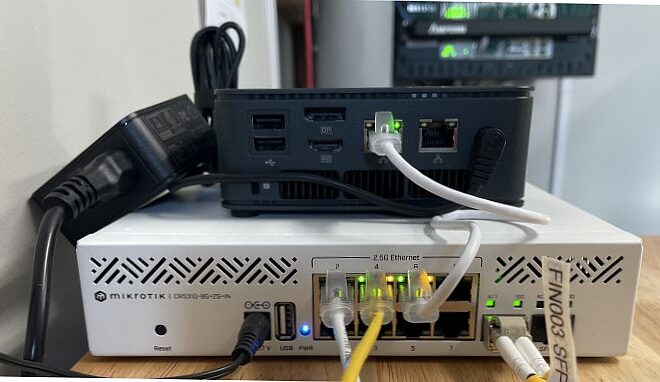
Mikrotik Switches and Imaging
