Open Source (almost) Innovation Rocks!
This is a project I can talk about.. this is going to be a work related post.
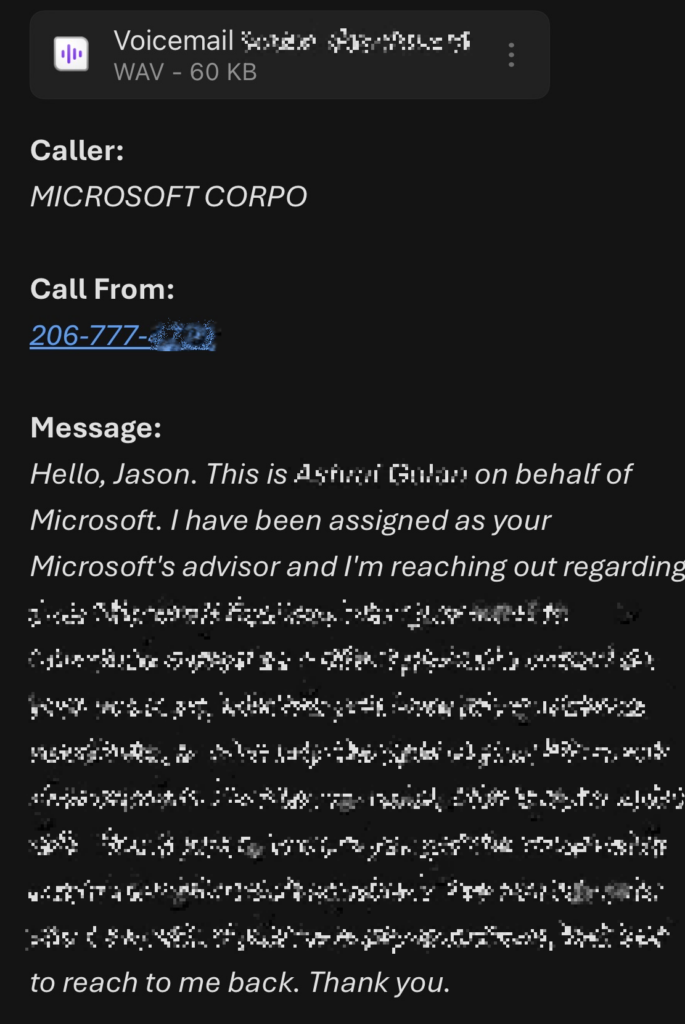
This is what the finished product looks like! *I had to obfuscate part of it but it did a perfect job of converting the audio to text!
Here is the need, we have a phone system from GrandStream and it works really well.. it replaced our Fortinet phone system (which used analog lines) and that system was very, very expensive. We had 7 analog lines which is at least something around $70.00 each per month and there were other costs related to that as well.
I had worked a little with VOIP, but I was far from an expert, but as more phone tech moved to networking – away from legacy systems, the more in my wheelhouse the system(s) got. So I studied VOIP as much as I could, the protocols, how SIP channels worked, signaling and data payloads. I used Wireshark to analyze calls until I had a certain level of comfort or at some internal knowledge of VOIP systems.
But there has been more progress in the AI and automation sectors and I realized that our traditional VOIP system (and this applies to most small business PBXs) that there isn’t an easy or cost effective way to get voicemail transcription.
There are many different types of VOIP phone systems, and different services, for example, a specific phone system may offer voicemail transcription at a premium price and since you’re locked in with that system and the transcription service is bolted on and supported, likely you will opt to select and use it due to vender lock in.
These days you can host with Linode – aka Akamai Cloud, and get a shared compute instance at a great price, so I spun up a Ubuntu Linode and updated the OS, installed Docker, n8n, and whisper… there are many YouTube videos that will show you how to do that.
I used Gemini AI with help where I needed it… I’m not going to kid you – it wasn’t easy but you plug away at it piece by piece until you get it squared away. I’m not going to go into the level of detail that I’ve used on other posts but rather a 30,000 foot view that will let you get the structure and flow of the project and the details will change as per your implementation and the specifics of your needs.
We have a M365 ecosystem, so what I did was create a subdomain of our domain.. and the sub domain is a relay domain. So say if have mybusiness.com, you create in Entra, a transcribe.mybusiness.com domain and created a shared mailbox called vm-catcher, then in exchange admin center, I created a “Catch All” rule that all email with the “transcribe.mybusiness.com” in the receipt address would be moved to the shared mailbox. Now I prayed about how this would work, so I can’t take any credit for any brilliance involved… you might be asked by create a relay subdomain (I also disabled that the subdomain would send email).. part of the issue is say I sent an email from the phone system to my n8n instance, it could transcribe, but how would it know the internal extension the call was made to, or the email address it should sent too after the transcription is done? I don’t want to have to maintain a complex mapping of extensions to names in an excel sheet or database because long term that isn’t feasible.
So I thought, why not, but a unique email address for each person.. e.g. jasont-777@transcribe.mybusiness.com. In our phone system – each extension that gets voicemail has an email address.. e.g. jasont@mybusiness.com, but I’d replace that address with the one above. Now the n8n will take anything after the dash as the internal ext, and will take any string before the dash as the local part of the email, in javascript – we reconstruct these data fragments and rebuild the original address, now no complex mapping is required to be maintained… all we have to do is keep the format for each voicemail destination address.
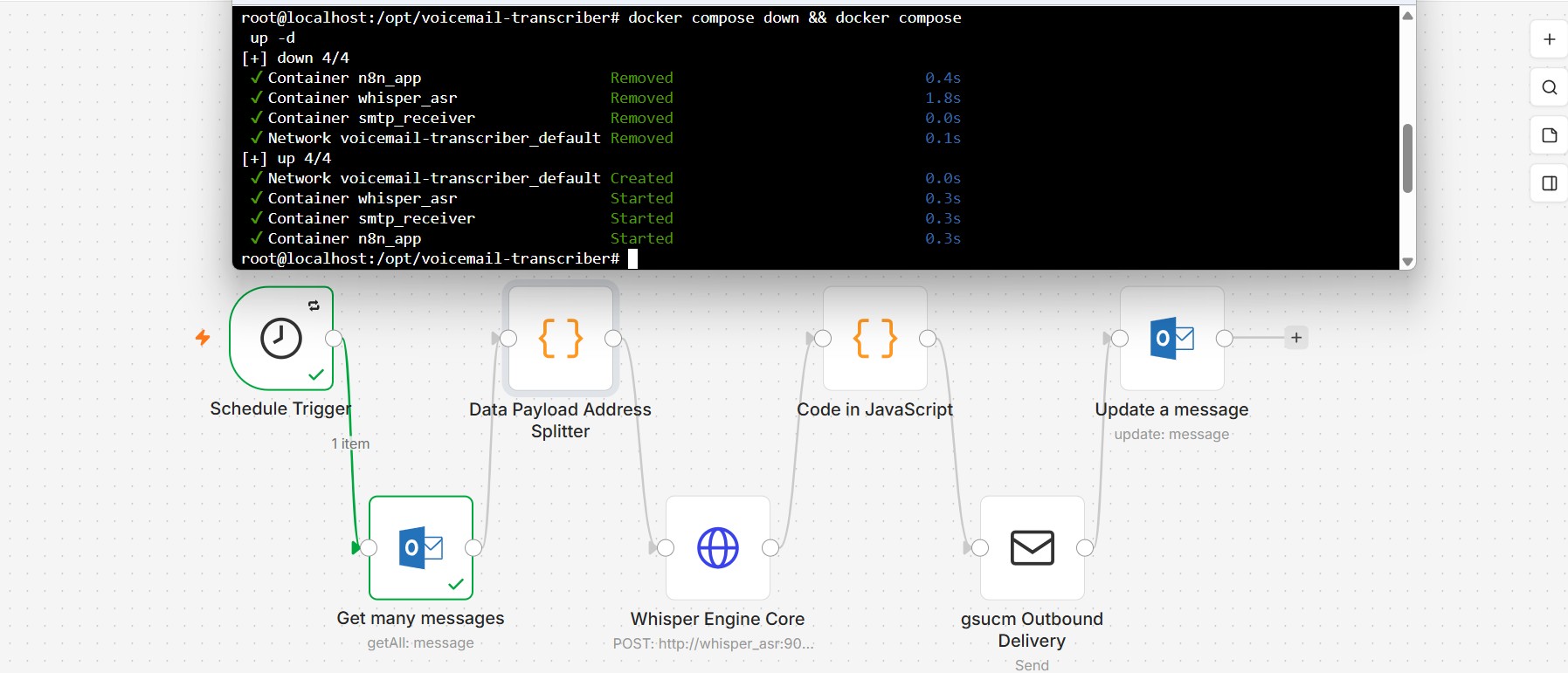
The [Schedule Trigger] block runs every minute, the [Outlook] block gets unread messages from the vm-catcher shared mailbox, the [Data Payload Address Splitter] arguably the most difficult to get working does the heavy lifting.. here is some Pseudocode of what it is doing..
FOR each incoming email item from Outlook:
IF the item has no binary attachments:
    SKIP this item

// === Step 1: Extract routing information from "To" address ===
Get raw To address (try multiple possible Outlook payload formats)
Clean the address (remove < > brackets)
Extract local part (before the @ symbol)

// Example incoming format: jasont-777@mybusiness.com
IF local part contains "-":
    Split by "-" → extractedExt (e.g. "777") and extractedUser (e.g. "jasont")
    Build deliveryInbox = extractedUser + "@mybusiness.com"     // → jasont@mybusiness.com
ELSE:
    Use fallback values:
        extractedExt = "000"
        deliveryInbox = "admin@mybusiness.com"

Save email subject (or use default "New Voicemail")

// === Step 2: Filter and process attachments ===
FOR each binary attachment in the email:

    Get fileName, fileExtension, mimeType

    IF it is a .wav file (check extension OR filename OR mimeType):

        Create a new output item:
            json part:
                - Copy all original email data
                - Add extractedExt (e.g. "777")
                - Add extractedUser (e.g. "jasont")
                - Add deliveryInbox (e.g. "jasont@mybusiness.com")
                - Add emailSubject
                - Add attachmentFileName, attachmentMimeType, originalBinaryKey

            binary part:
                - Put the audio file under key "attachment_0"

        Add this new item to results list
// After processing all emails and attachments
RETURN only the items that contain valid WAV files
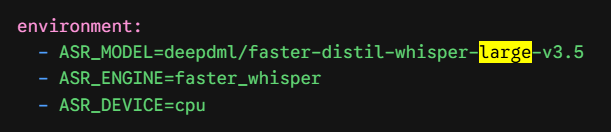
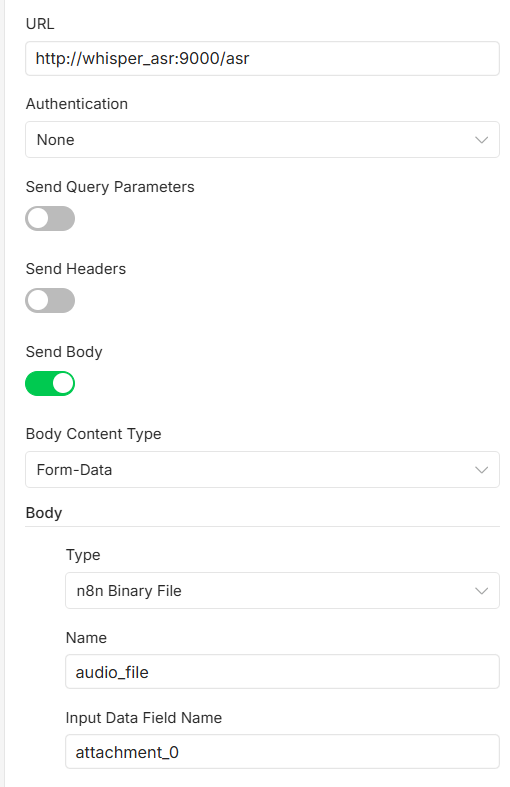
After that, the [Whisper Engine Core] block runs with this config – this performs the audio to text transcription, I’m using the larger model in the docker-compose.yml.
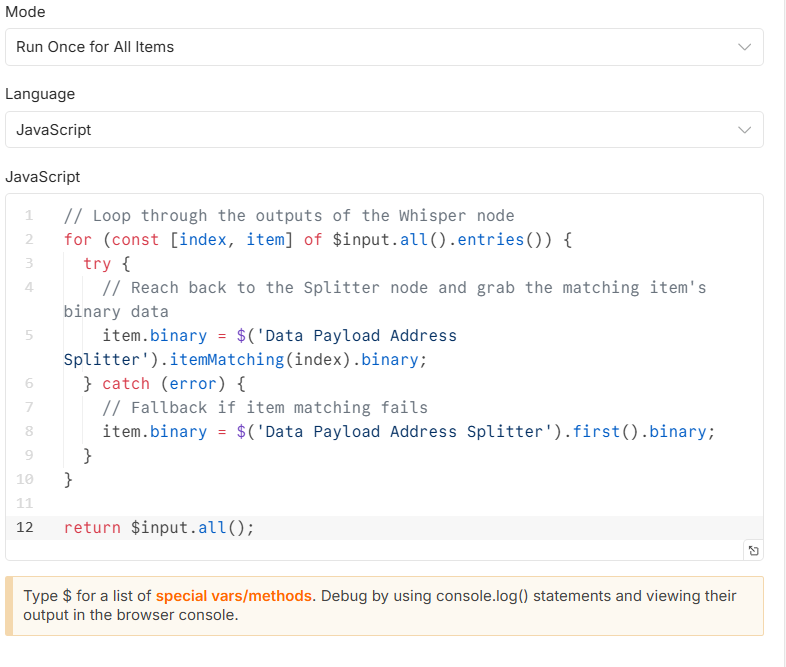
Then the [JavaScript Code] runs, this is required so that we can grab the attachment later as a wav file to add to the outbound email.
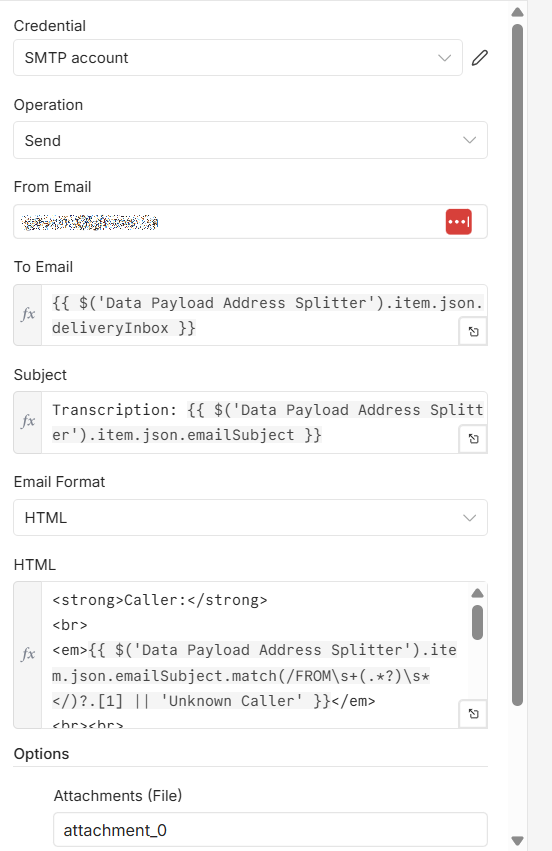
We then use the [Outbound Delivery] object to format the fields and send the finished product.
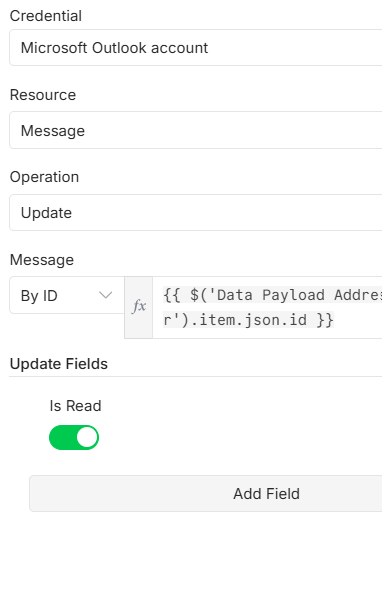
And finally we use the [Outlook] object to grab the original message id and update the message as Read in the shared mailbox so we don’t look at it again.
And that’s it… Its just that simple! I’ll have to do more testing and I never would have got this figured out with God’s help… I did a lot of praying because I got stuck so many times. I hope you might find this of use to you.
Jason